Droidloom runs a real Android userspace on your Linux kernel and
gives every app its own Wayland window. GPU accelerated, zero-copy,
and open source from top to bottom.
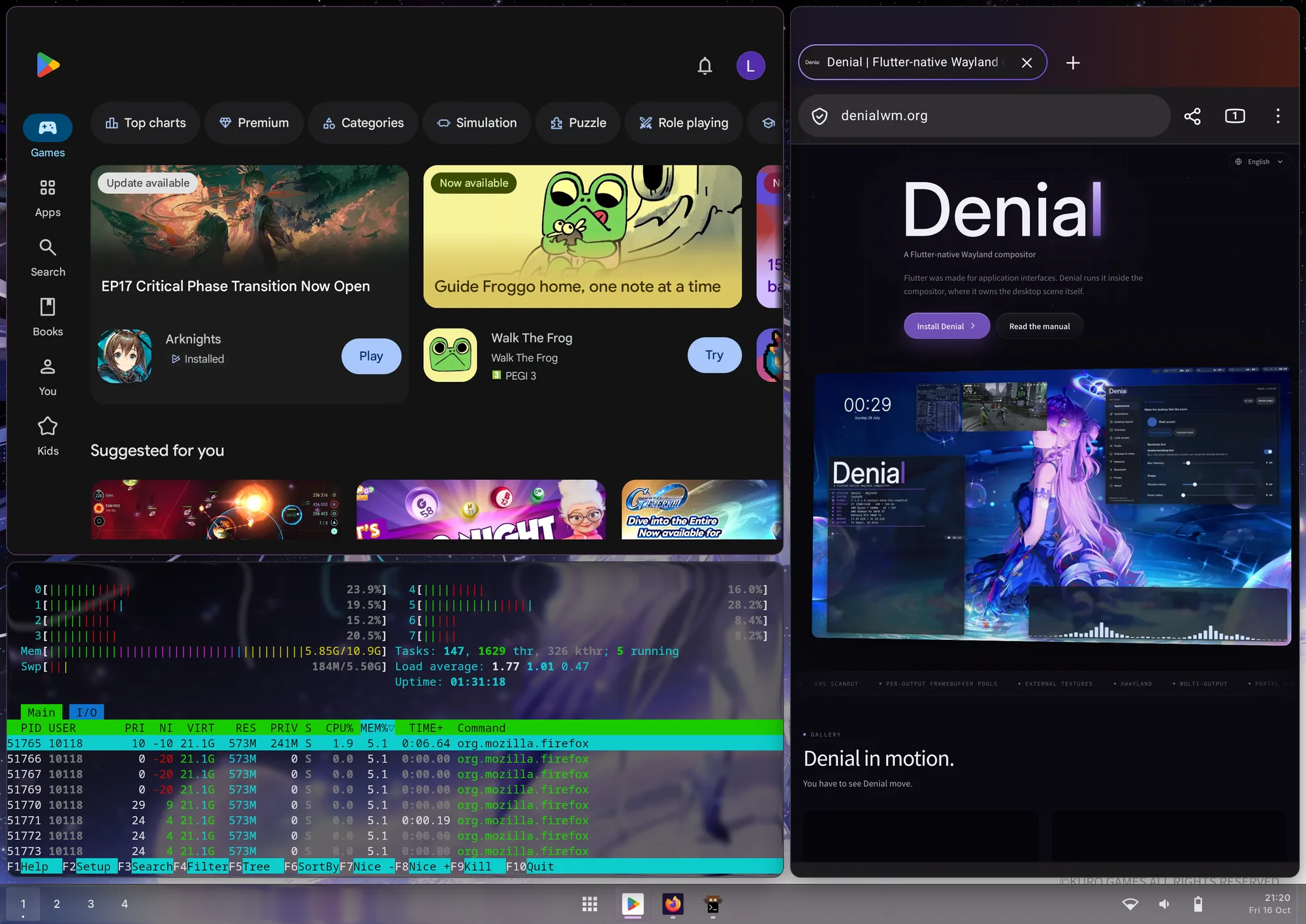
OnePlus Pad 4 running Denial. Play Store and Firefox are Android apps in their own windows; htop lists them as ordinary host processes.
Not an Android desktop in a box.
Running Android on Linux usually means one Android screen, shown in
a window or cut into pieces. Droidloom gives every app its own
Android display behind its own Linux window, next to everything else.
01
One window per app
Every Android task becomes its own xdg_toplevel.
Tile it, resize it, move it between workspaces, close it from
your compositor. Android gets the new geometry and lays itself
out again, the way a native app would.
02
Real Android, no VM
ART, Binder, Zygote and system_server run directly on the host
kernel in their own namespaces, with a private binderfs instance.
No second kernel, no emulator, no container image to babysit.
Android apps show up in htop like any other process.
03
Zero-copy, fenced on the GPU
App buffers reach the compositor as DMA-BUFs, without copies.
Every frame carries GPU fences through linux-drm-syncobj,
and Android reuses a buffer only after the compositor has finished
reading it, so an app never draws over a frame still on screen.
04
No closed-source blobs
Mesa for graphics, Teto for ARM translation, and Droidloom itself
under GPL-3.0-or-later.
Feels like it was always there.
In your app launcher
Android apps are exported as regular desktop entries, with names and icons, updated live as you install and remove them.
Clipboard, both ways
Text, links, HTML, images and copied files move between Android and Linux apps.
Native notifications
Android notifications appear as desktop notifications. Clicks and actions open the app; dismissing on the desktop clears them in Android.
Your keyboard
Text fields use the compositor’s own input method. Android never draws a keyboard of its own.
Desktop or mobile mode
Phone-sized windows that remember their size, or apps that fill the screen. Choose per app.
Debuggable
droidloomctl logs and droidloomctl crashes work as your user, without sudo, even while Android is still booting.
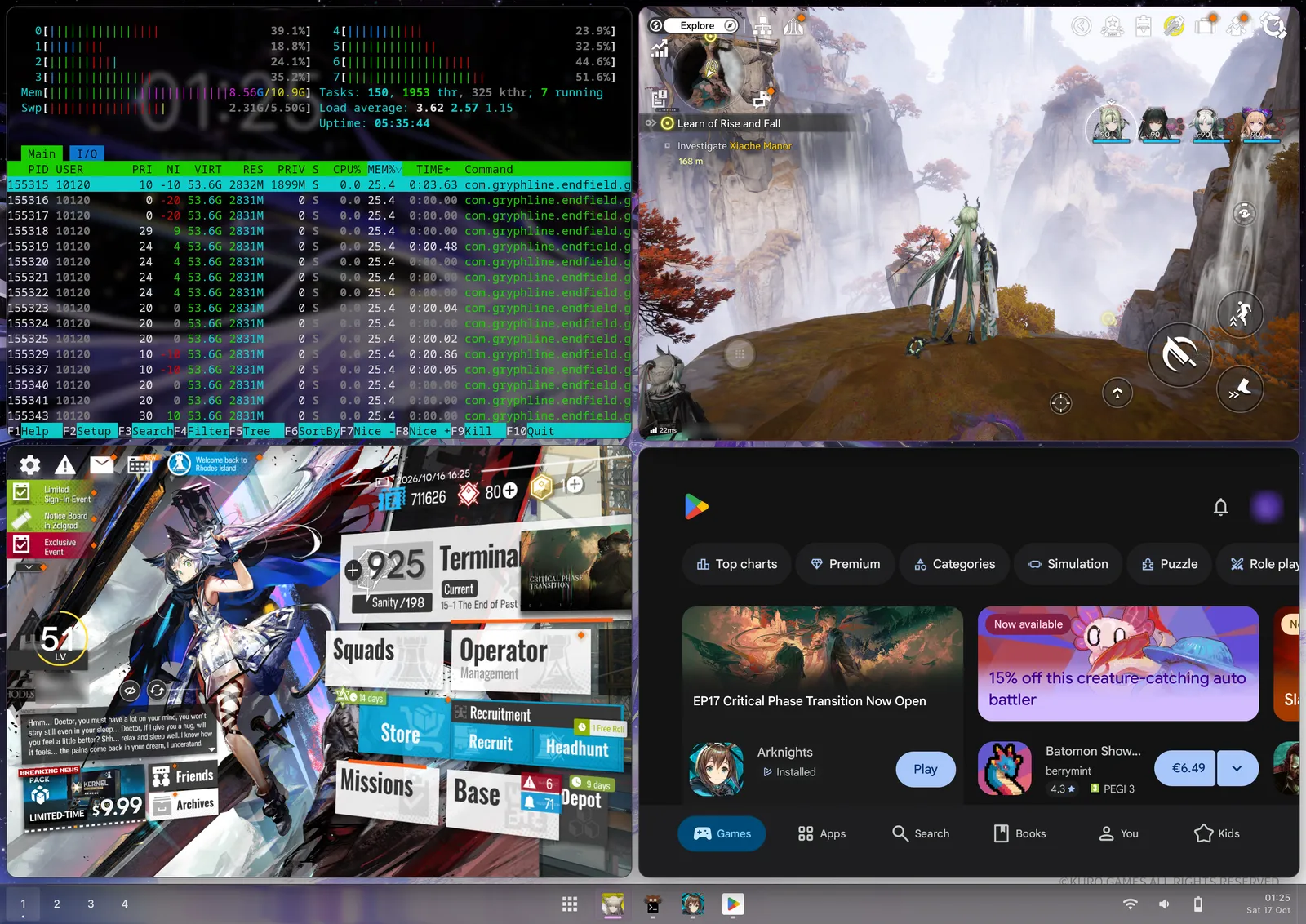
Endfield, Arknights and Google Play tiled next to htop, which lists Endfield as an ordinary Linux process.
Built together, down to the protocol.
Droidloom works on any modern Wayland compositor. On Denial it goes
further: the two speak dedicated Wayland protocols, so Android apps
behave as if Denial were their own system UI.
denial_insets_v1
Status bar and navigation spacing
Denial tells Android where its status bar and bottom navigation
indicator are. Apps receive real WindowInsets and
lay their content around Denial’s bars, exactly as they would on
a phone.
denial_frame_timeline_v1
Exact frame timing
Denial grants each frame with a latch deadline and a
presentation target. Android renders for the exact refresh
Denial will show, instead of guessing.
denial_text_input_panel_v1
On-screen keyboard
Android’s show and hide keyboard requests drive Denial’s
on-screen keyboard directly, and dismissing it stays dismissed.
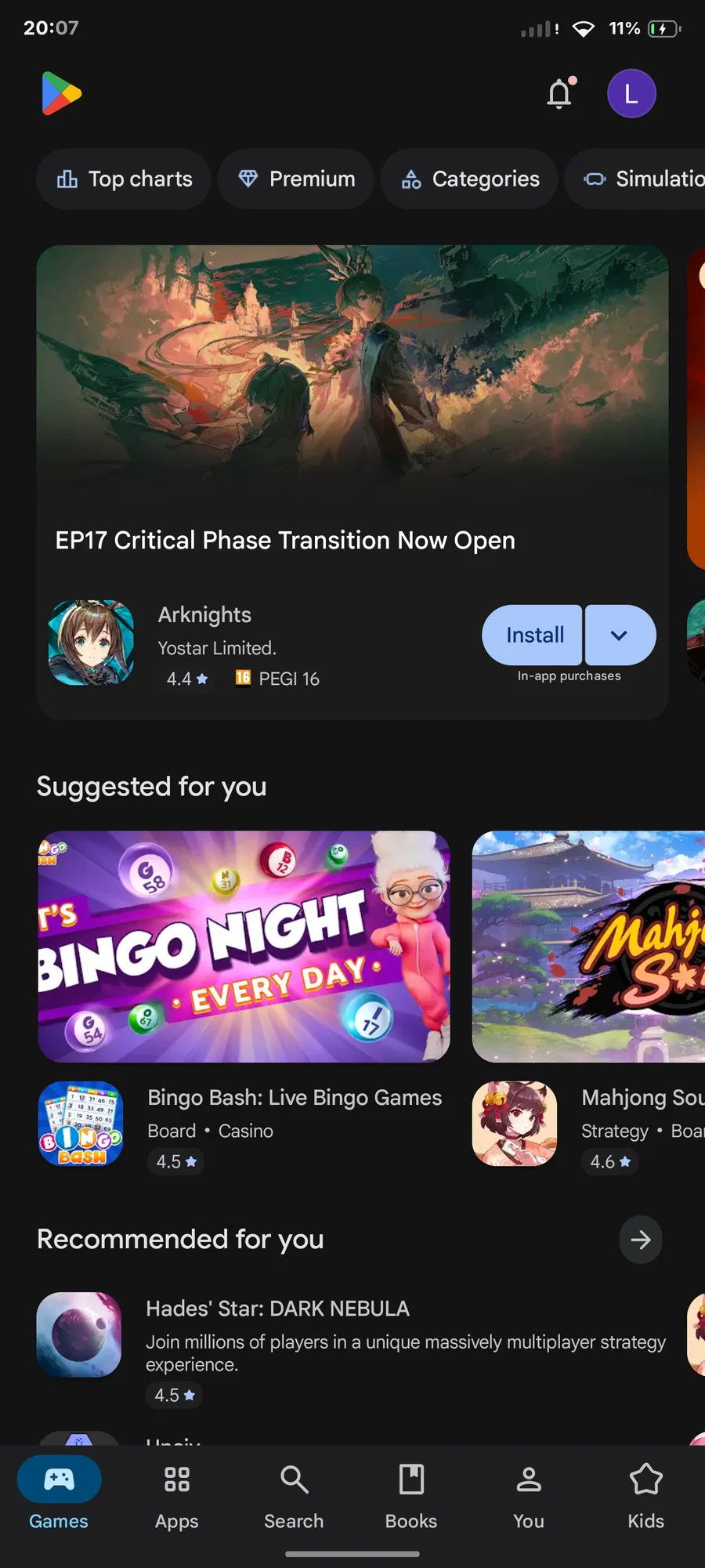
Motorola Edge 70 running Denial. Google Play lays out between Denial’s status bar and gesture bar, the same way it would on Android.
The protocols are product-neutral and documented in the
Droidloom repository.
Any compositor can implement them.
Native on ARM, translated on x86 when needed.
ARM64 · phones and tablets
Nearly anything.
On ARM devices, Android apps run natively on the same
architecture they were built for. If it runs on Android, expect
it to run on Droidloom.
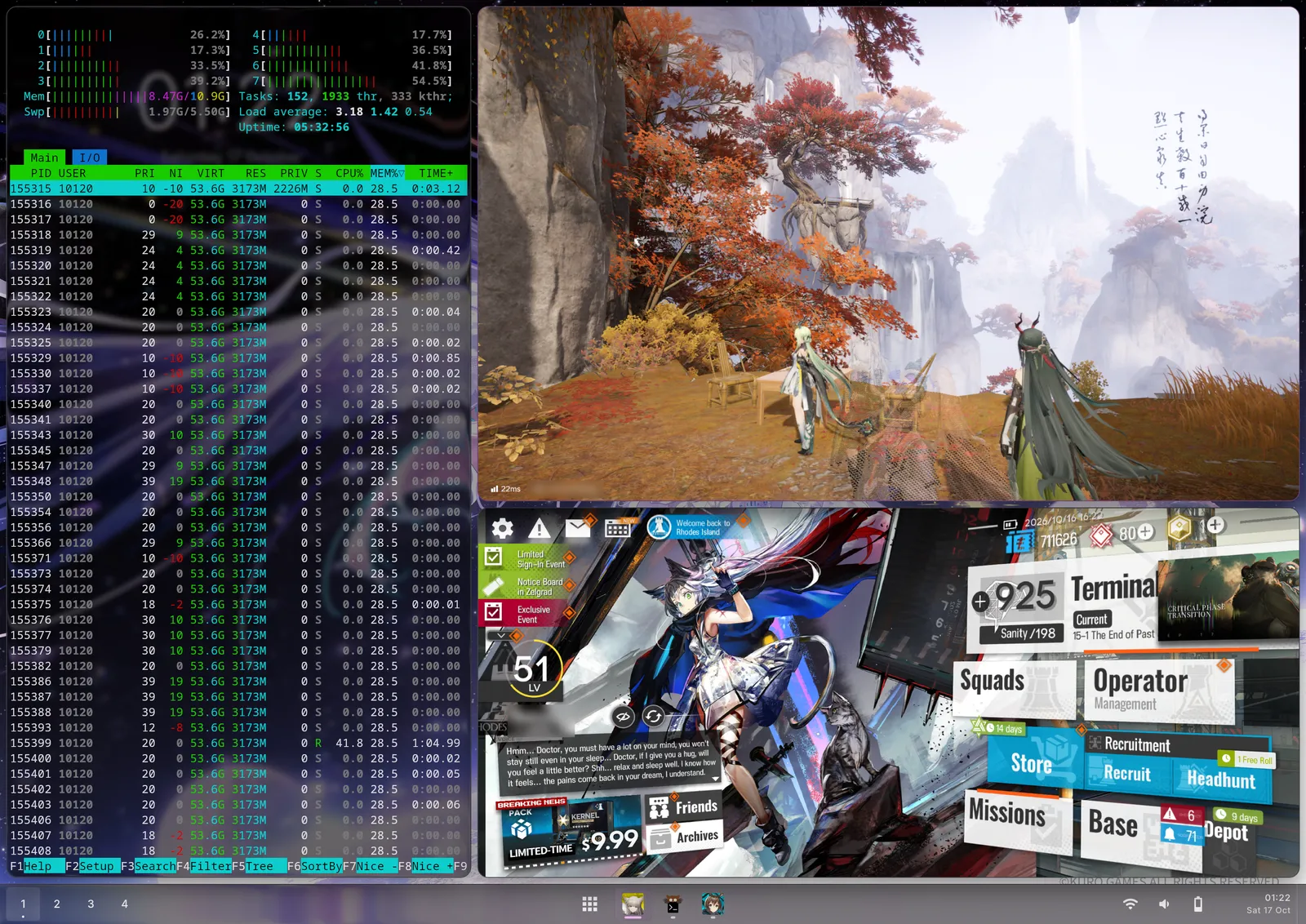
Arknights: Endfield, Arknights and htop, tiled on a OnePlus Pad 4.
x86_64 · desktop
Most things, through Teto.
Apps with x86_64 builds run natively. ARM-only apps and games
run through
Teto,
an open-source ARM64 translation engine based on Android’s Berberis. Most apps work;
games depend on what Teto supports, and that list keeps growing.
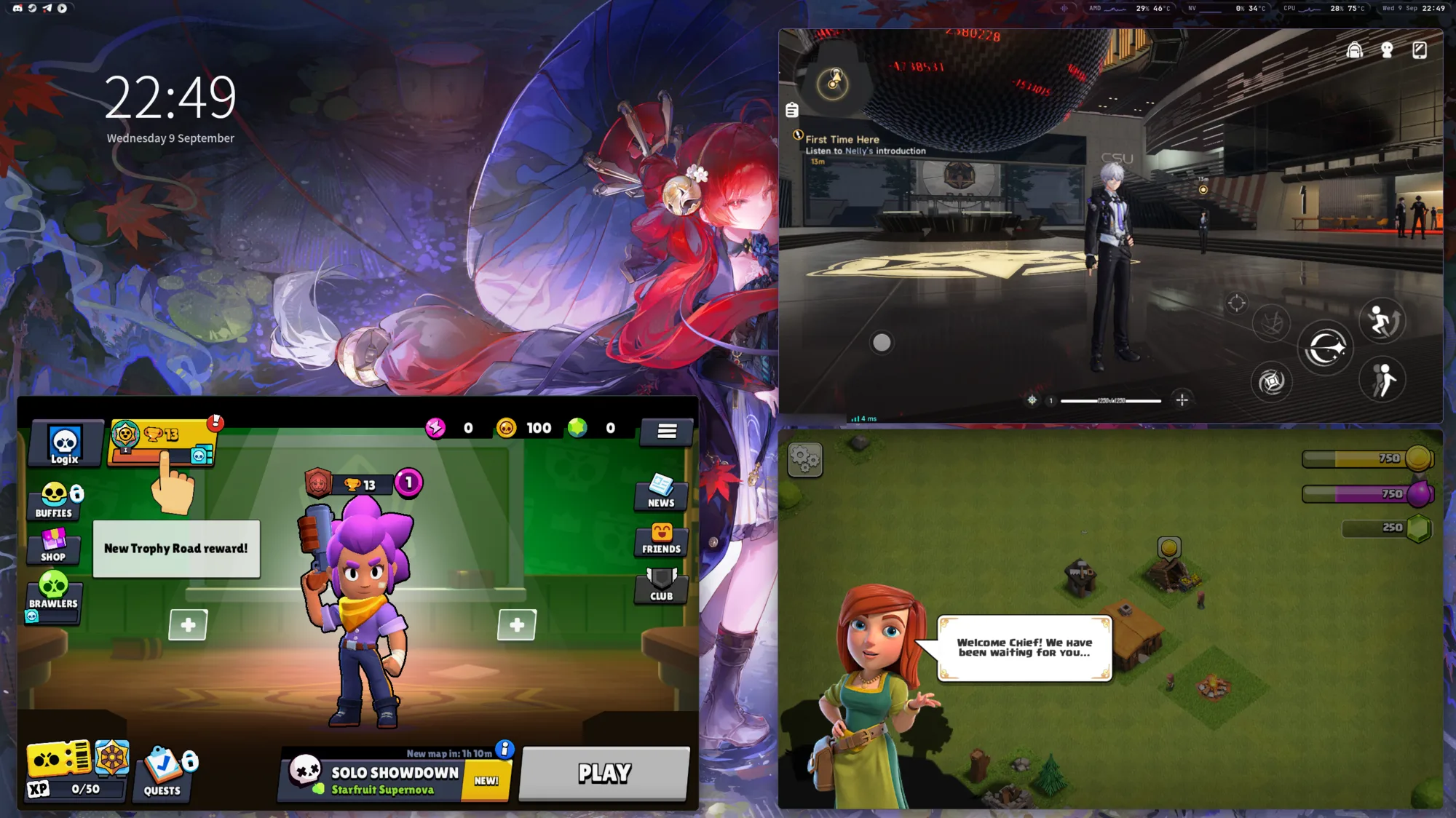
Neverness to Everness
Brawl Stars
Clash of Clans
Brawl Stars, Neverness to Everness and Clash of Clans on an x86_64 desktop. All three are ARM64 builds, translated by Teto.
Droidloom is made by one developer. If it runs an app you rely on, sponsoring funds the work on it.
NVIDIA’s driver has no Android build. Droidloom gives Android a
Vulkan driver of its own that hands every call to the NVIDIA driver
already on your desktop. Games, video and web views render on the
GeForce card, and their windows show up next to everything else.
33.1kvkmark score through the forwarding, every default scene
36nsper draw call forwarded, 34 ns on the driver directly
155µsfor an Android frame to be presented and handed back
ES 3.2OpenGL ES through ANGLE, with Android’s required texture formats
Violet dots are Vulkan calls on their way to the host. Blue frames are finished pictures on their way to your screen. SurfaceFlinger, Android’s own compositor, takes the same path.
Android app
Draws with OpenGL ES or Vulkan, exactly as it would on a phone.
ANGLE
Turns OpenGL ES 3.2 into Vulkan, so GL apps take the same path.
vulkan.droidloom
Android’s Vulkan driver. Each call becomes a record in memory both sides share; buffers and fences cross as file descriptors, never as copies.
droidloom-gpu-server
One host process per Android process replays the calls, so a crash stays inside one app.
NVIDIA driver
The proprietary driver you already have. Droidloom ships no NVIDIA code.
GeForce GPU
Renders the frame in its own VRAM.
Shared buffer
The finished frame lands in system memory that every GPU in the machine can read.
droidloom-wayland
Hands it to your compositor as the app’s own window.
Your compositor
Shows it from the AMD or Intel GPU that drives the screen.
What the server fills in
WINDOW BUFFERS
Fast images in VRAM
Android’s buffers are linear, and NVIDIA cannot draw into a linear image while depth is attached. Apps draw into an image in VRAM, and the server copies the frame out when the app hands it over.
NV12 · YV12 · P010
Video
Each plane of a decoded frame is brought in on its own and copied into one YUV image, which ANGLE samples with a colour conversion. Video plays in apps and in browsers.
ETC2 · EAC · ASTC
Android’s texture formats
Android requires them and desktop NVIDIA has none. Compute shaders decode them inside the app’s own command buffer, and the original blocks are kept, so copies stay exact.
KERNEL SYNCOBJS
Timeline semaphores
Timelines live in the kernel on the Android side and are fed by every submission’s fence, so waiting on the GPU never needs a trip to the server.
OVERHEAD
A second process, almost free
Per draw call
Direct
34 ns
Forwarded
36 ns
Timeline submit and wait
Direct
37.6 µs
Forwarded
57 µs
SETUP
It turns itself on
With an NVIDIA card the installer sets up forwarding by itself; with AMD or Intel only, Android renders natively with Mesa. droidloomctl gpu lists the GPUs and picks another one.
$droidloomctl gpu
NVIDIA GPU 0000:04:00.0 (nvidia, /dev/dri/renderD128)AMD GPU 0000:0a:00.0 (amdgpu, /dev/dri/renderD129)GPU choice auto: Android renders on the NVIDIA GPU 0000:04:00.0 through droidloom-gpu-server (GPU forwarding)
Measured on a GeForce RTX 5060 Ti, with the display on a Radeon RX
9070 XT. Draw and timeline figures compare a test client on the
NVIDIA driver directly and through the forwarding. Forwarding is
available on x86_64.
Why not Waydroid?
Waydroid has been how Linux runs Android apps for years, so it is the
first thing people ask about. This comparison comes from reading
Waydroid’s own source code, not from guesses.
BOTH
What they share
Android runs on the host kernel in its own namespaces. Neither is a virtual machine.
App buffers can reach the compositor without a copy. Waydroid’s multi-window mode hands Android’s buffers over as subsurfaces too.
Clipboard sync, desktop notifications with actions, and app launcher entries.
WAYDROID
Where Waydroid is ahead
Years of use, a large community, and packages for most distributions.
Runs on Halium phones using the phone’s own Android vendor drivers. Droidloom needs mainline Linux graphics drivers.
Works on compositors without explicit sync. Droidloom needs linux-drm-syncobj.
Where Droidloom is ahead
The window is the app
Each Android app gets its own Android display, sized to its Linux window. Waydroid runs one Android display and gives each app a transparent window as large as that whole display, so your compositor never sees the app’s real size and cannot tile or snap it.
Your desktop draws the frame
Windows get your compositor’s decorations and behavior. Waydroid apps carry Android’s freeform title bar, with buttons patched into Android.
Android 17
Built from AOSP 17. Waydroid’s images are LineageOS 20, which is Android 13.
Frame sync on the GPU
Fences travel through linux-drm-syncobj, and Android gets a buffer back only after the compositor has finished reading it. Waydroid waits for each frame on the CPU and marks buffers free as soon as it commits them.
The compositor’s clock
On Denial, Android draws on Denial’s frame grants and stops waking up when nothing changes. Waydroid ticks Android from its own fixed timer.
Input per app, your keyboard
Touch is routed to each app’s own display, and text fields use your desktop’s input method. Waydroid writes raw input events into pipes for one shared display and types with Android’s keyboard.
Less of your machine inside Android
Android sees the GPU render node and a buffer heap, and nothing else: no display controller, no input devices. Waydroid bind-mounts framebuffers, video devices, every buffer heap and /sys/kernel/debug into the container.
Power-aware
Android’s frame hints set CPU performance floors, background work moves to efficiency cores, and on Denial minimized apps stop drawing. Waydroid’s power control is freezing the whole container when no app is visible.
ARM games on x86, built in
Teto ships with Droidloom and carries its own fixes for games. Waydroid users add Houdini or libndk through third-party scripts.
NVIDIA GPUs
Android renders on an NVIDIA card through GPU forwarding. Waydroid skips NVIDIA GPUs: on a machine with only an NVIDIA card, Android draws on the CPU with SwiftShader.
Your folders, already shared
Android’s Download, Pictures and Music are your Linux folders. Waydroid’s documentation has you sudo mount --bind them yourself.
Prebuilt packages are available for x86_64 Arch Linux and ARM64 Arch
Linux ARM, in the
latest release.
You need a Wayland session and about 20 GiB of free space.
AMD and Intel GPUs render natively; NVIDIA GPUs render through
GPU forwarding on x86_64.
Install the packages
Download and read the installer, then run it. It adds the
Droidloom pacman repository and installs the runtime and the
Android image. Updates arrive through your normal
pacman -Syu.